
Amber Notes vs Apple Notes

I love Apple Notes, and I built Amber Notes to feel just like it, with the few things I always missed: an AI that can use my notes, and a history of every change. Here's where the two differ, including what Apple Notes still does better.
At a glance
| Amber Notes | Apple Notes | |
|---|---|---|
| Price | Free | Free |
| Devices | Mac now; iPhone coming soon to the App Store | Every Apple device, and iCloud.com in a browser |
| Folders, pins, checklists, tables | Yes | Yes |
| ChatGPT and Claude can find, read and edit notes | Yes, with your approval (MCP), from any device | Not built in; community tools work on a Mac only |
| Claude Code and Codex | Yes | Through community tools, on a Mac |
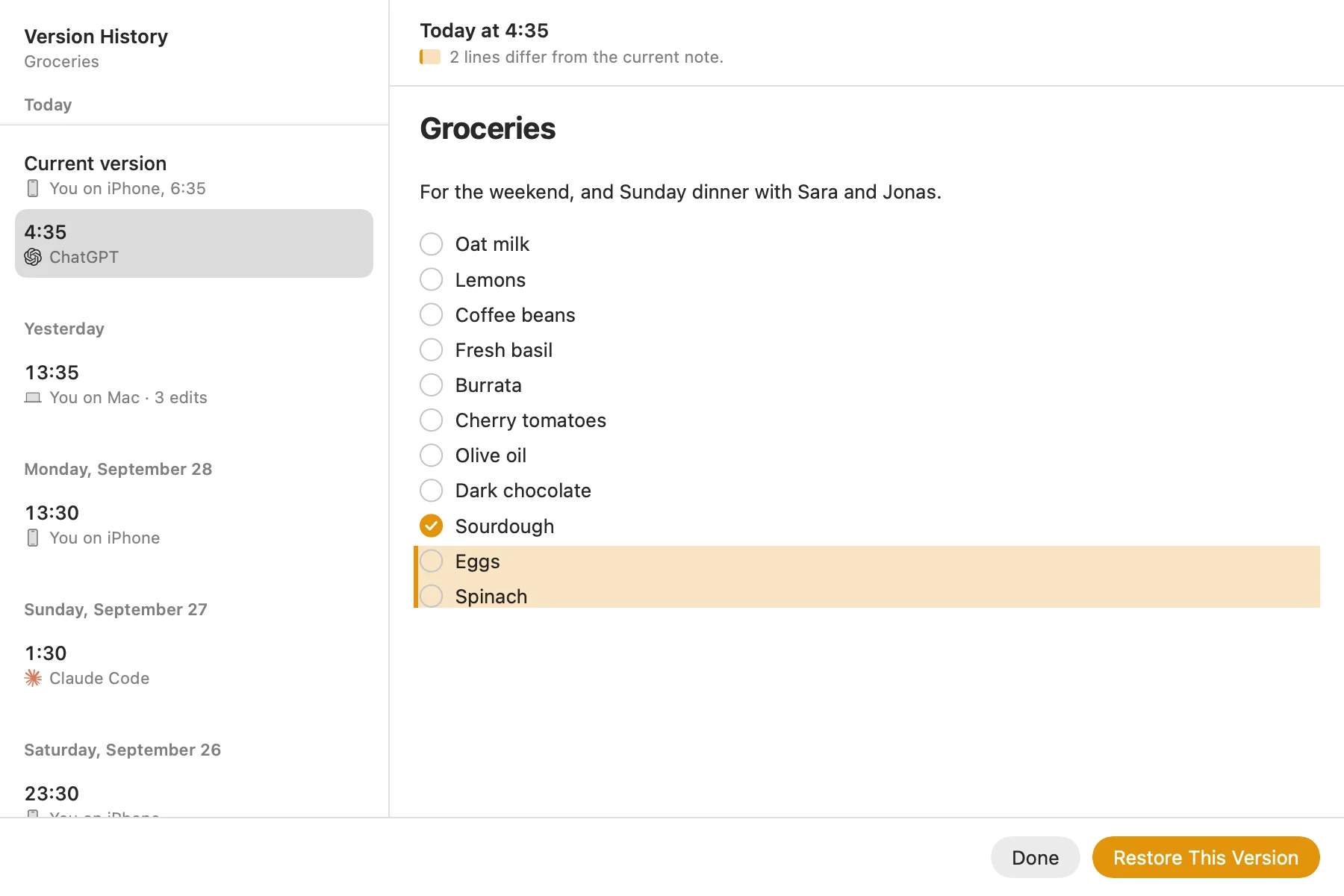
| Version history | Yes, including every change an AI makes | No |
| Stored as markdown | Yes, formatted on screen | No, but a note can be exported as markdown |
| Share a note | As a read-only web page, with a link you can stop | Invite people to edit with you |
| Lock a note with a password | No | Yes |
| Drawing, handwriting, scanning documents | No | Yes |
| Sync | Amber Notes' own sync, on servers in Frankfurt, Germany (EU) | iCloud |
| Open source | Yes (MIT) | No |
The big difference: your AI can use it
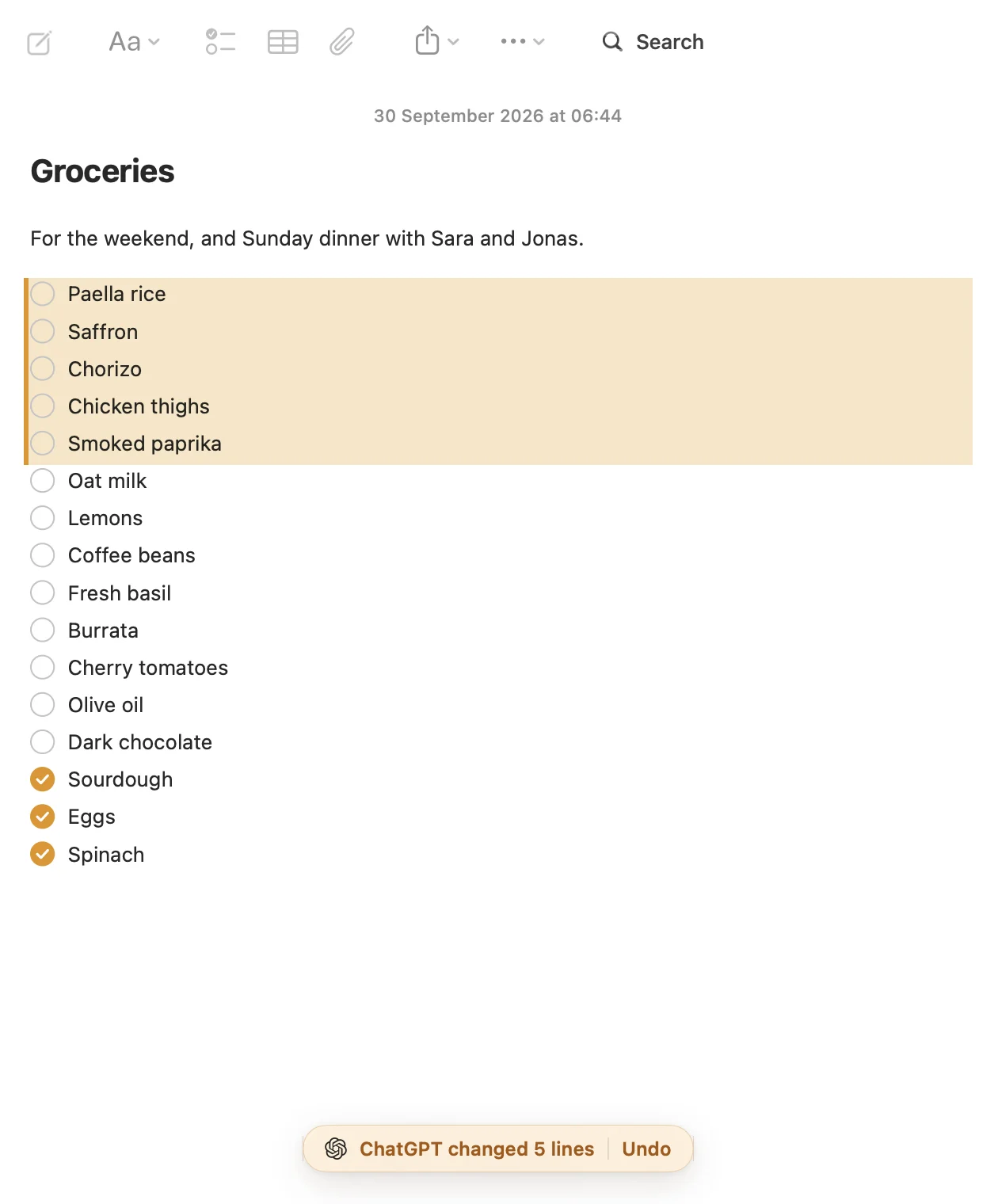
In Amber Notes, ChatGPT, Claude, Claude Code, Codex and Incredible can search your notes, read them, write new ones and edit the ones you have, through MCP. You approve each assistant in the app and choose read-only, or read and edit. When one changes a note, you see what changed, with Undo, and the previous version stays in the note's history. How to connect ChatGPT to your notes takes a few minutes.
With Apple Notes, ChatGPT on a Mac can help with a note you have open, but it can't look through your notes or save changes on its own. Can Claude read your Apple Notes? covers the do-it-yourself options on a Mac, and notes apps with an MCP server, compared looks beyond these two.
What Apple Notes does better
- Drawing, handwriting and scanning documents.
- Locked notes with a password.
- Collaborating: invite people to edit a note or folder with you.
- It's already on every Apple device, and on the web at iCloud.com.
Who each one is for
If you want your notes to stay exactly where they are and never talk to an AI, Apple Notes is great. If you already ask ChatGPT or Claude for help every day and want the result in your notes instead of copying and pasting, Amber Notes is made for that.
Try it without giving anything up
The import only reads Apple Notes, so you can bring everything over and keep using both. Here's how to move, or download Amber Notes for Mac.
Checked against the app on .

