
Use your notes from Claude Code and Codex

I use Claude Code every day, and I wanted it to write the standup, keep a work log and look up what I decided last week, in the same notes I read on my phone. With Amber Notes it takes one command for Claude Code, or a few lines for Codex.
What it's good for
- “Write today's standup into my notes, from the commits since yesterday.”
- “Add what we just decided about the cache to my Project notes.”
- “Read my note on the release checklist and go through it.”
- “Log today's hours in my Timesheet table.”
Amber Notes is a free notes app for iPhone and Mac with an MCP server built in, so your agent writes into the same notes you read everywhere else. You see what it changed, with Undo, and every earlier version is kept. If your notes are still in Apple Notes, move them over first.
Claude Code
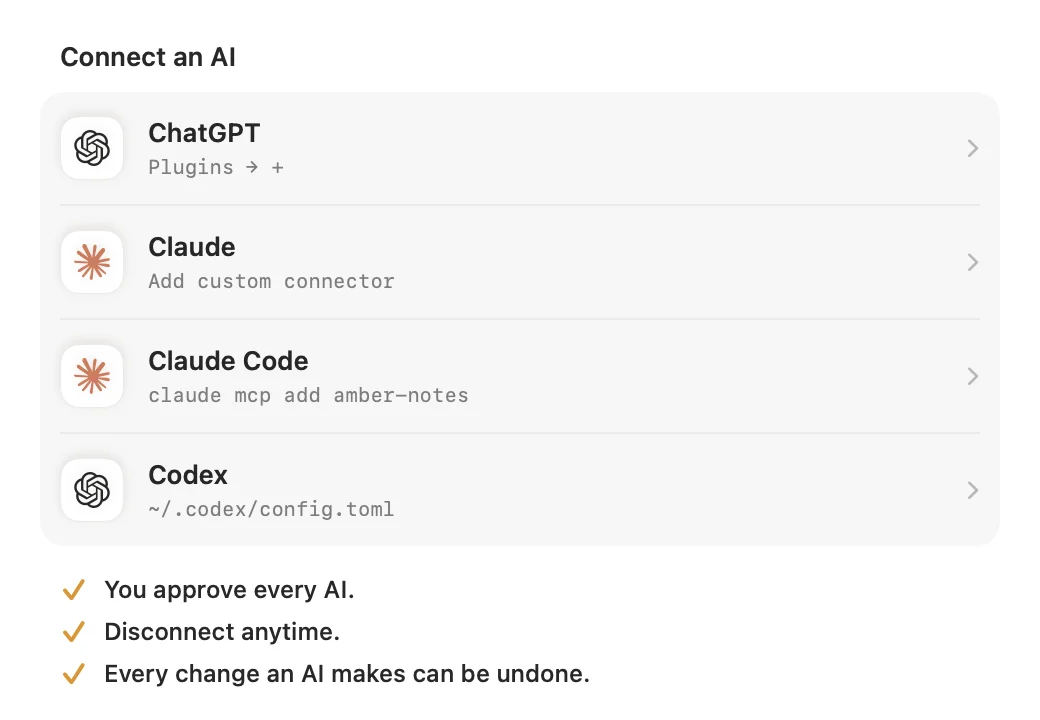
- In Amber Notes on your Mac, open Settings and, under Connect an AI, choose Claude Code.
- Turn on Read only if Claude Code should only look things up.
- Choose Add to Claude Code. Amber Notes creates an access token and runs
claude mcp addfor you, for every project. - Or choose Create Access Token and run the command it shows in a terminal. It looks like this:
claude mcp add --scope user --transport http amber-notes \
  https://mcp.ambernotes.app \
  --header "Authorization: Bearer pane_…"
Already connected Claude on claude.ai with the same Claude account? Then Claude Code may already have Amber Notes as a connector, and you can skip this. Connecting ChatGPT and Claude covers that side.
Codex
- In Amber Notes, open Settings and, under Connect an AI, choose Codex.
- Turn on Read only if you like, then choose Create Access Token.
- Copy the lines it shows into
~/.codex/config.toml:
[mcp_servers.amber_notes]
url = "https://mcp.ambernotes.app"
http_headers = { "Authorization" = "Bearer pane_…" }
The token is shown once. Keep it private, like a password.
Check that it works
Start a new session and ask: “Search my Amber Notes and tell me what I wrote most recently.” The agent should call get_overview or search_notes. In Claude Code, /mcp lists the servers it has.
Stay in control
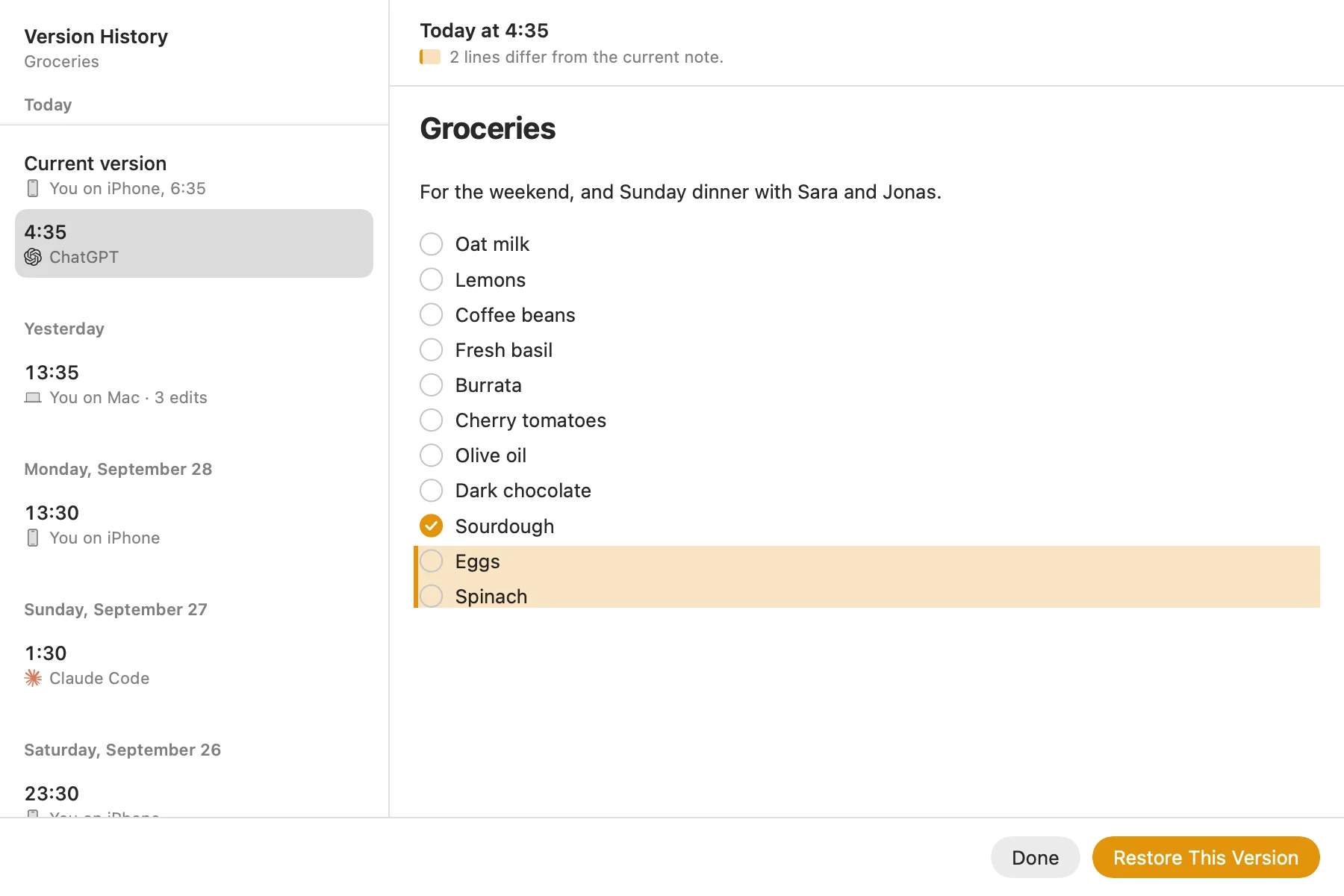
- Each token shows up in Settings under Connected, with when it was last used. Disconnect it there, and it stops working right away.
- A read-only token can't change anything.
- Edits keep the previous version, so File, then Show Version History, can put a note back.
The MCP server page lists every tool the agent can call.
Questions
Can Claude Code read and write my notes?
Yes. Add Amber Notes as an MCP server with an access token, and Claude Code can search, read, create and edit your notes, or only read them if you make the token read only.
How do I add a notes MCP server to Codex?
Create an access token for Codex in Amber Notes, under Settings, Connect an AI, Codex. It shows a few lines to add to ~/.codex/config.toml, with the server address and the token in an Authorization header.
Where is the access token stored?
In your Claude Code or Codex configuration on your computer. Amber Notes shows it once. Anyone with the token can use your notes, so keep it private, and disconnect it in Amber Notes if it leaks.
Checked against the app on .


