Keep a work log with Claude Code

I work in Claude Code most of the day, and I used to lose the thread of what I did by Friday. Now Claude Code writes my standup and a short log into my notes as we go, and I read them on my phone. Here's the setup.
Set it up once
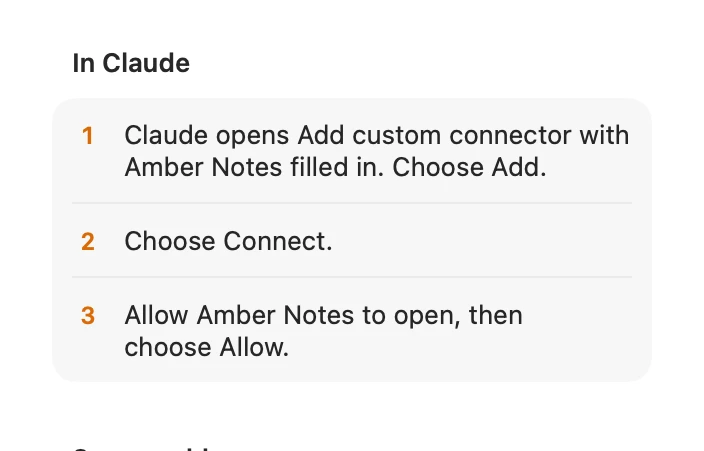
- Add Amber Notes to Claude Code: one command, or the Add to Claude Code button on a Mac. Use your notes from Claude Code and Codex has the details.
- Create the notes you want it to write to, for example Standup notes and Work log, in a Work folder.
- Tell Claude Code how to use them, in your project's
CLAUDE.md:
## Notes
- Standups go in the "Standup notes" note in Amber Notes: append under today's date.
- When I say we're done for the day, add three lines to "Work log":
  what shipped, what's blocked, what's next.
- Log hours in the "Timesheet" table with log_table_row.
The standup
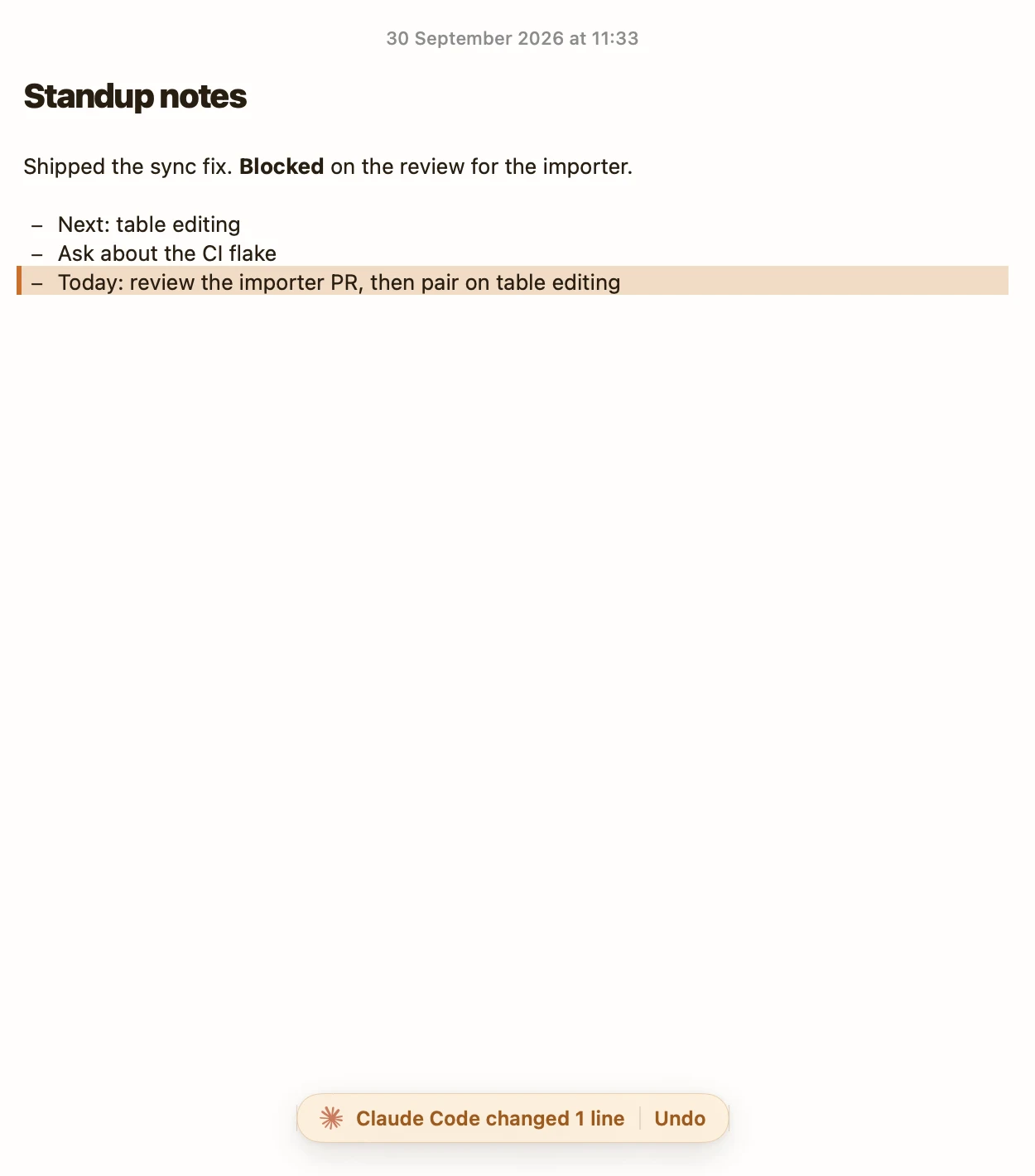
Ask “Write today's standup from the commits since yesterday.” Claude Code reads the git log, then calls append_to_note, which adds text at the end of a note, or under a heading you name. The rest of the note stays exactly as it was.
In Amber Notes the new lines are tinted, and the bar at the bottom says what Claude Code changed, with Undo, like the picture at the top.
A daily log
One running note, with a heading per day, is easier to search later than a note per day. “Add today's summary to Work log” puts it under today's heading. If you prefer a note per day, ask for it: create_note makes one, and move_note files it in a folder like Work/2026.
A tracker
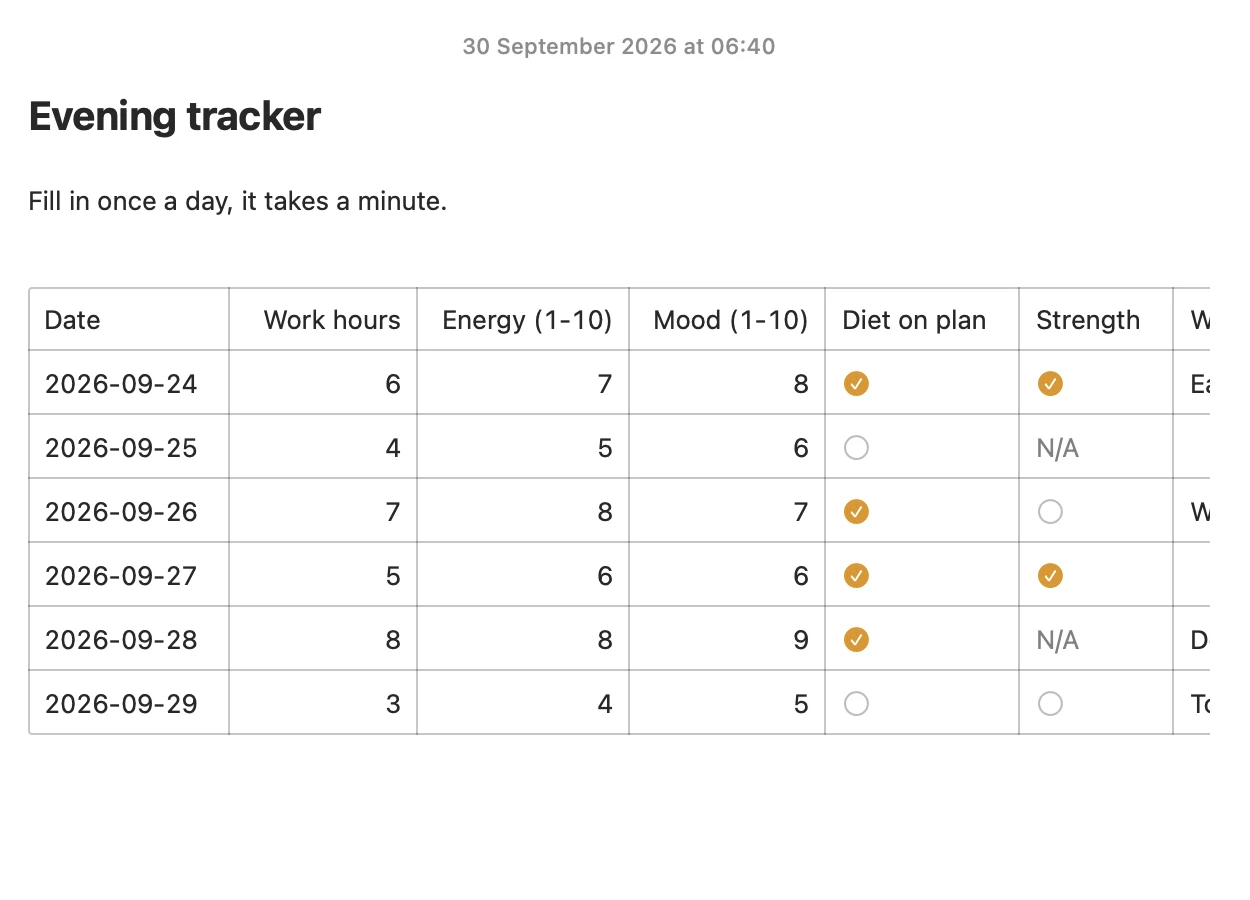
For numbers, like hours, energy or the day's focus, a table works better than prose. Make a table with a Date column and ask Claude Code to log a row. log_table_row checks each value against its column, and in a tracker with a date column it updates today's row instead of adding a second one.
Reading it back
- “What did I do last week?”
search_notesandread_notefind it. - On your phone, the log is just a note: open it in Amber Notes.
- Every change Claude Code makes keeps the previous version. If a summary goes wrong, restore the earlier one from the note's history.
Codex works the same way with AGENTS.md, and so does any assistant that speaks MCP, including Incredible. For what an agent needs from a notes app in general, see the best notes app for AI agents.
Questions
Can Claude Code write my standup?
Yes. With Amber Notes connected, ask it to summarize the day's commits and add them under today's date in your Standup notes. It appends to the note instead of rewriting it, and you can undo the change in the app.
How do I make Claude Code log my work automatically?
Add an instruction to your project's CLAUDE.md, such as "When I say we're done for the day, add a short summary to my Work log note in Amber Notes". Claude Code reads CLAUDE.md at the start of every session.
Checked against the app on .