ChatGPT memory vs a notes app ChatGPT can read

People ask me why they'd want ChatGPT in their notes when it already has memory. They're different things. Memory is ChatGPT's own summary of you; notes are your words, where you can read them. Here's what each one is good for, and how to use both.
The short answer
Use memory for how you like ChatGPT to answer: your diet, your job, the tone you prefer. Use notes for anything you want to read again exactly, tick off, share or keep: lists, plans, meeting notes, a work log. ChatGPT memory is written by ChatGPT for ChatGPT. A note is written for you, and a notes app with an MCP server lets ChatGPT read and write it too.
What ChatGPT memory is
According to OpenAI's help pages, memory works in two ways:
- Saved memories: details you ask ChatGPT to remember (“remember that I'm vegetarian”), or that it saves because they seem useful. You can see and delete them.
- Chat history: ChatGPT uses what it learns from your past conversations to shape new answers. You don't see this as a list.
Both are under Settings, Personalization, and you can turn either off. If you turn chat history off, OpenAI says what was learned from past chats is deleted within 30 days; the chats themselves stay until you delete them. Free accounts get a lighter version than Plus and Pro. OpenAI changes how memory works fairly often, so check Memory in ChatGPT for the current details.
Side by side
| ChatGPT memory | Notes ChatGPT can read and write | |
|---|---|---|
| Who decides what's kept | ChatGPT, plus what you ask it to remember | You, and ChatGPT when you ask it to write something down |
| Exact wording | A short summary in ChatGPT's words | The whole text, as written |
| Where you read it | Inside ChatGPT's settings | In your notes app, on your phone and computer |
| Lists you tick off | No | Yes, as checklists |
| Other AI apps | ChatGPT; other apps can't read it | Any app that can use the notes app's MCP server, such as Claude and Claude Code |
| Sharing with people | No | Depends on the notes app |
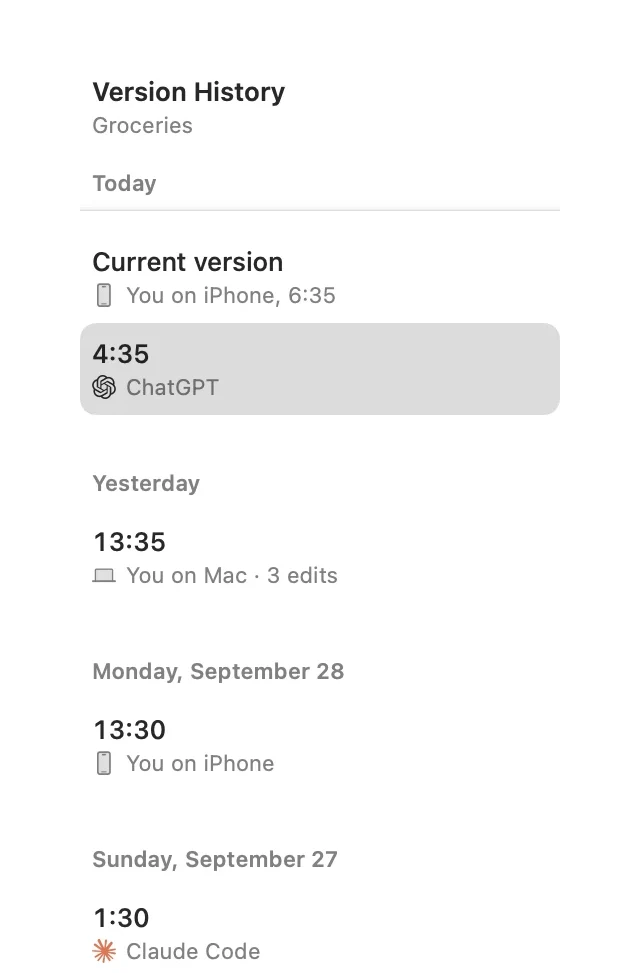
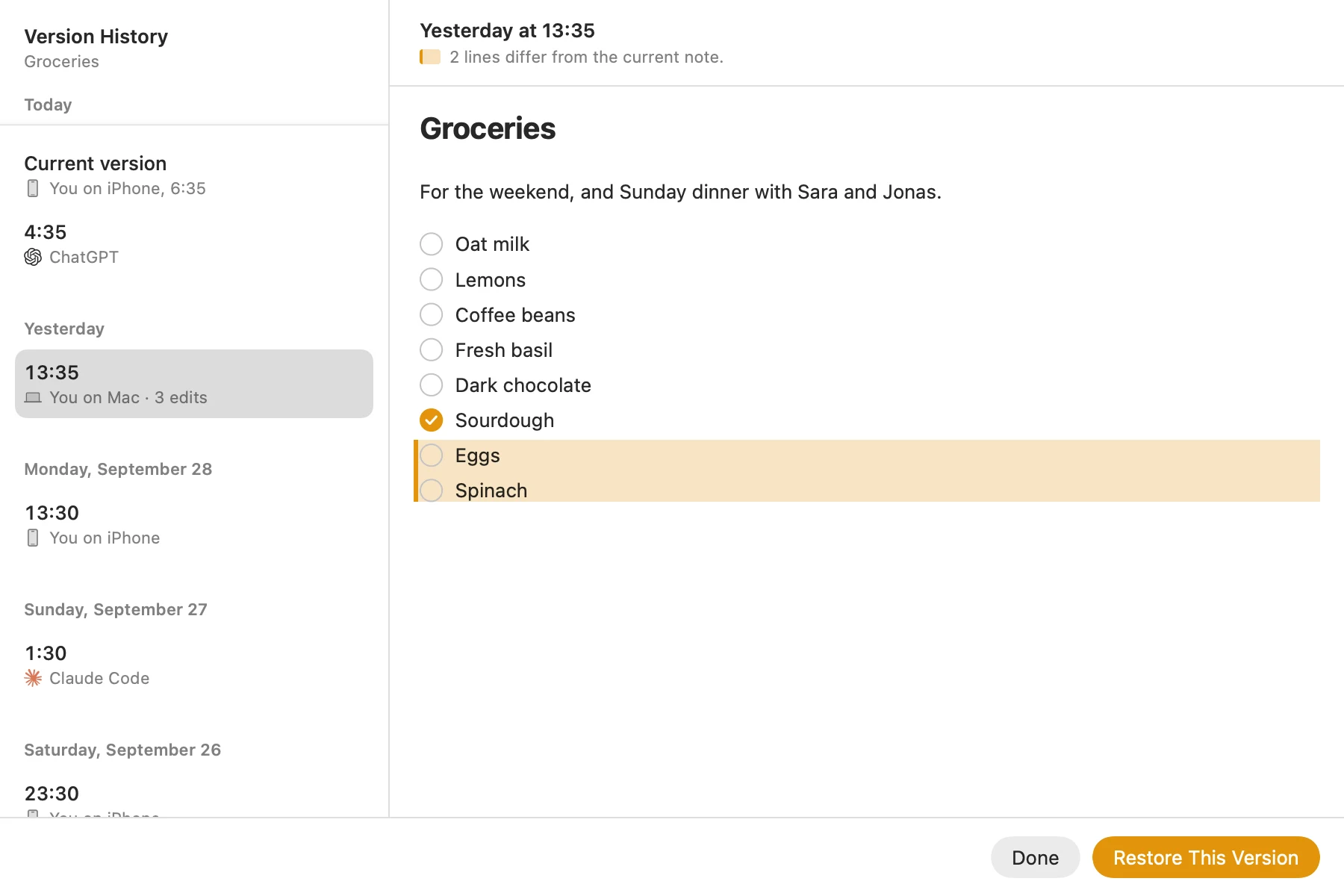
| Undo a bad change | Delete the memory | In Amber Notes: Undo, and every earlier version kept |
When memory is enough
- Preferences that shape answers: units, diet, the kind of examples you like, what you do for work.
- Context you'd otherwise repeat in every chat.
- Anything you're happy for ChatGPT to paraphrase and never need to read back.
When you want notes
- Lists. A shopping list or to-dos you tick off on your phone in the shop. Using ChatGPT as a to-do list shows how.
- Plans and drafts. A trip plan or a proposal you'll edit yourself, where the exact text matters.
- Records. Meeting notes, decisions, a work log: things you'll look up months later, word for word.
- Several AIs. If you use Claude or a coding agent as well, notes are the one place they all read. A work log with Claude Code is one example.
How to use both
The two work well together. Connect a notes app ChatGPT can reach, then use memory for the instruction, not the content. Ask ChatGPT to remember something like:
- “When I say add it to my list, put it in the Groceries note in Amber Notes.”
- “Save trip plans to my Amber Notes, in the Travel folder.”
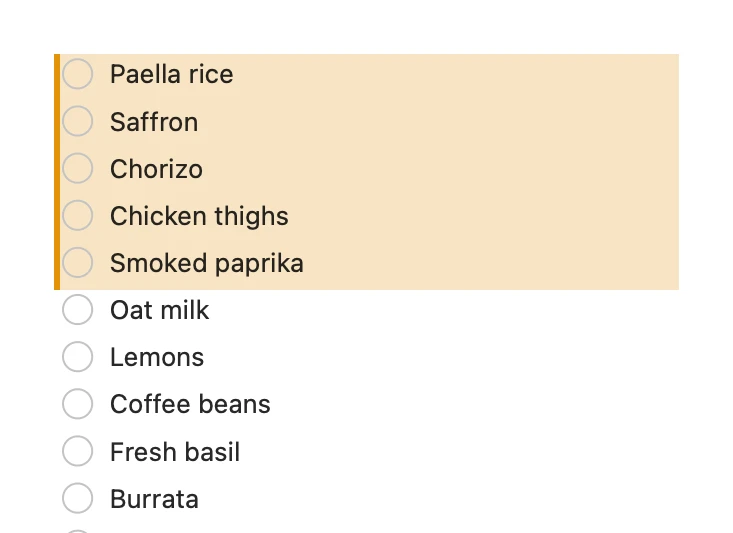
Memory then keeps the habit, and the notes keep the text. In Amber Notes, when ChatGPT adds to a note or ticks an item, it changes only those lines, the change shows up tinted with an Undo, and the version before is kept in the note's history.
Setting it up takes a few minutes: connect ChatGPT to your notes. If you're still choosing an app, notes apps that work with ChatGPT compares the options fairly.
Questions
Is ChatGPT memory the same as notes?
No. Memory is what ChatGPT keeps about you so its answers fit you better: facts you asked it to remember, and what it picks up from past chats. It decides what to keep and how to word it. Notes are text you can read, edit and find again word for word.
Can I see everything ChatGPT remembers about me?
You can see and delete your saved memories in Settings, Personalization. What ChatGPT draws from your past chats isn't a list you can read in the same way; you can turn it off, and OpenAI says what it learned is then deleted within 30 days.
Can Claude or other AI apps use my ChatGPT memory?
Not directly. ChatGPT's memory lives in your ChatGPT account, and other AI apps can't read it. Notes in an app with an MCP server, like Amber Notes, can be read by ChatGPT, Claude, Claude Code and Codex alike.
Should I turn ChatGPT memory off if I use notes?
Not necessarily. They do different jobs. Memory is good for how you like answers; notes are good for anything you want to keep, check or share. Many people keep both.
Checked against the app on .