How to recover deleted Apple Notes, including after 30 days

Deleted a note you needed? If it was in the last 30 days, it's almost certainly still there. After that it gets harder, and most of the results for this search are recovery apps that won't say what they can really do. Here's what works, in order, from Apple's own documentation.

First, make sure it's really gone
Notes go missing more often than they get deleted. Apple's missing notes article suggests these checks first:
- Search everything. In the notes list, search for a word from the note with All Accounts selected. Search only sees the title of locked notes, so check those by hand.
- Check each account. In Settings, Apps, Notes, Notes Accounts, make sure Notes is turned on for every account, such as Gmail or Yahoo. A note in an account that's switched off disappears from the list.
- Check other folders. A note can end up in a folder you didn't expect.
Within 30 days: Recently Deleted
A deleted note moves to Recently Deleted on all your devices and on iCloud.com, and stays there for 30 days. The folder only shows up when it has something in it.
On iPhone
- In Notes, go back to the folder list and tap Recently Deleted.
- Swipe left on the note, tap Move, and choose a folder.
On a Mac
- In Notes, click Recently Deleted in the sidebar.
- Drag the note to another folder.
On iCloud.com, from any browser
- Go to icloud.com/notes and sign in.
- Select Recently Deleted, select the note, then select Recover. It moves to the Notes folder.
The steps come from Apple's iPhone, Mac and iCloud.com guides.
Notes in Gmail, Yahoo and other accounts
Notes in a mail account don't use Recently Deleted. The account usually keeps a deleted note in its Trash, which you'll find in the Mail app. To get it back, copy it from Trash and paste it into a new note. Those accounts keep their own rules for how long Trash is kept.
After 30 days
For notes in iCloud, the honest answer is no. Apple says you can't recover notes that were permanently removed, and iCloud Backup doesn't include notes already stored in iCloud, so restoring an iPhone backup won't bring them back. A few cases are different:
- Notes stored only on your iPhone (the On My iPhone account) are part of your iPhone backups. Restoring an older backup replaces what's on the phone now, so treat it as a last resort, and export anything newer first.
- Notes stored only on your Mac (On My Mac) are in your Time Machine backups, if you use it. Apple doesn't document restoring a single note that way.
- A shared note you didn't own never goes to Recently Deleted. You can open it again from the original link, unless the owner stopped sharing.
Apple says notes it has permanently removed can't be recovered. Be careful with apps that promise otherwise, and with any that ask for your Apple Account password to try.
So it doesn't happen again
- Keep a copy of the notes you can't lose: export them to Markdown, one at a time or with an exporter for everything.
- On a Mac, turn on Time Machine.
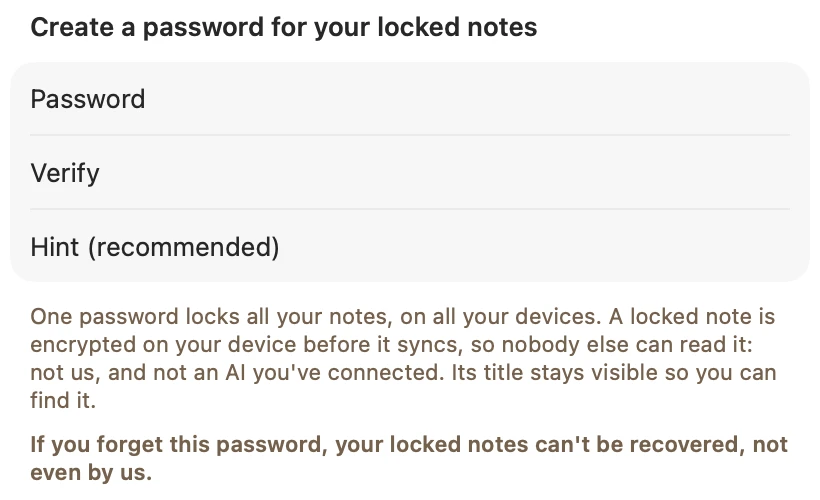
- If you lock notes, know the password; a forgotten one is its own problem, covered in forgot your Apple Notes password.
The bigger gap is that Apple Notes has no version history. If you or an app changes a note and removes the part you needed, there's nothing to go back to. That's one of the things I built into Amber Notes, the notes app for iPhone and Mac I make: deleted notes stay in Recently Deleted for 30 days like in Apple Notes, and every note also keeps up to 100 earlier versions, so you can restore one from File, Show Version History, including after ChatGPT or Claude edits it. Amber Notes vs Apple Notes covers the other differences, and moving from Apple Notes takes one import on your Mac.
Questions
How long does Apple Notes keep deleted notes?
30 days. A deleted note goes to Recently Deleted on every device signed in to the same Apple Account and on iCloud.com, and is removed for good after 30 days, or sooner if you delete it from there.
Can I recover Apple Notes deleted more than 30 days ago?
For notes stored in iCloud, no: Apple says you can't recover notes that were permanently removed, and iCloud Backup doesn't include notes already in iCloud. Notes stored only on your iPhone may be in an older iPhone backup, and notes in a Gmail or Yahoo account may be in that account's Trash.
Why is there no Recently Deleted folder?
It only appears when there's something in it. If it's missing, no iCloud notes were deleted in the last 30 days, or the note was in a Gmail or Yahoo account, whose deleted notes go to that account's Trash in Mail.
Can I get back an old version of a note I changed?
Not in Apple Notes: it keeps no version history, so an edit that removed text can't be undone later. Notes apps with version history can.
Checked against the app on .