How to use Claude Cowork with Apple Notes

People keep asking how to get Claude Cowork working with Apple Notes, and the answers in the threads range from “use the Mac connector” to “impossible”. Both are partly right. Here's what works today, from Anthropic's own documentation, and when you need something else.
The short answer
On a Mac, install Anthropic's Read and Write Apple Notes extension in Claude Desktop, and Cowork can list, read, add and update your notes while the app is open on that Mac. From your phone or the web, Cowork can only reach it through that open Mac. If you want Claude to use your notes from any device with the Mac off, your notes need to live in an app with a connector on the internet, which means moving them out of Apple Notes.
What Cowork is, and where it runs
Cowork is Claude doing longer tasks for you: you describe the outcome, and it works through the steps. It's on Claude Desktop, the web, the phone apps and the Claude in Chrome side panel, on paid plans (Pro, Max, Team and Enterprise). Anthropic is folding it into regular Claude, so on some accounts there's no separate Cowork button any more.
Cowork tasks run in Anthropic's cloud, so they keep going when you close your laptop, and from 6 October 2026 new tasks on Pro and Max always run there. Anything on your computer, such as local files, browser use and local connectors, still needs the Claude Desktop app open on that computer. Anthropic explains this in Use Claude Cowork on web, desktop, and mobile.
Option 1: the Apple Notes extension, on your Mac
Anthropic makes a desktop extension called Read and Write Apple Notes. It drives the Notes app through macOS automation, with four tools: list notes, get a note's content, add a note, and update a note's content.
- Open Claude Desktop on your Mac and go to Settings, then Extensions.
- Find Read and Write Apple Notes and install it.
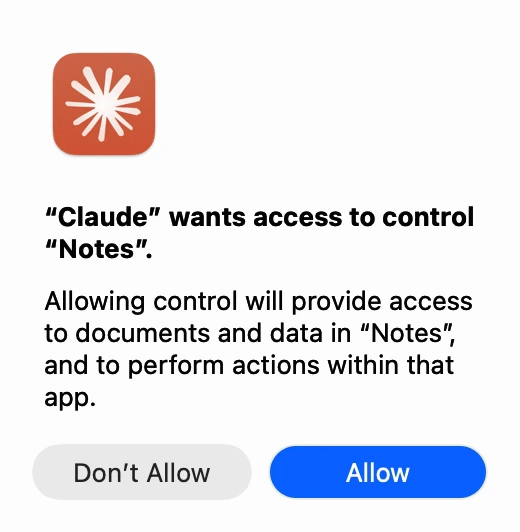
- The first time Claude uses it, macOS asks whether Claude may control Notes. Allow it. You can change this later in System Settings, Privacy & Security, Automation.
- In Cowork, describe the task, for example: “Find my packing list note and add a section for the Lisbon trip.”
What to know before you rely on it:
- It needs the Mac. Desktop extensions run on your computer. Anthropic says they aren't available on the web or mobile, and Cowork reaches them only through Claude Desktop while it's open. A scheduled task that runs while your Mac sleeps can't use it.
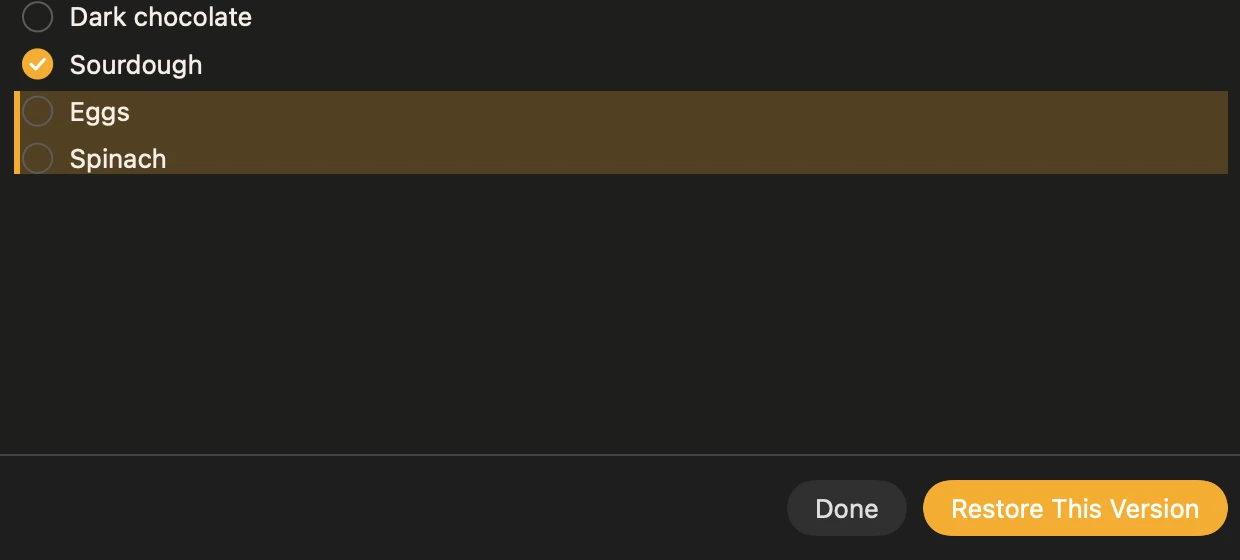
- Checklists don't survive edits. When the extension updates a note, its checkboxes become plain bullets and lose their ticks. That was reported to Anthropic and closed as not planned.
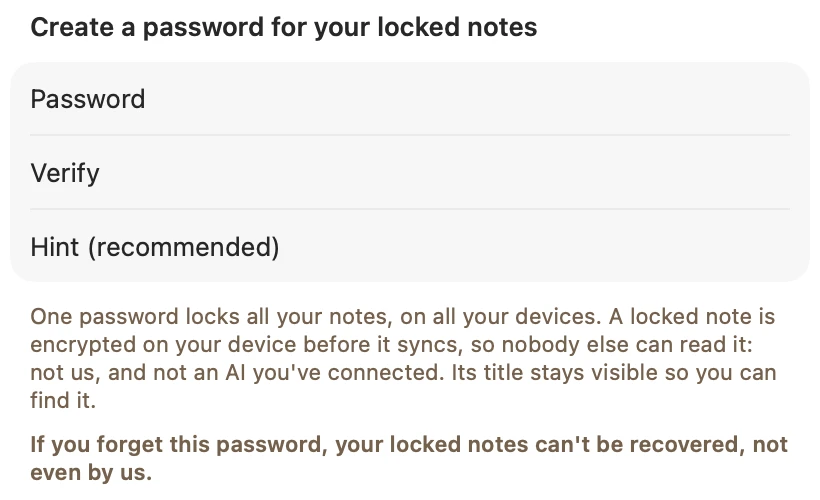
- Locked notes stay locked. Automation can't read a note locked with a password.
- No undo. Apple Notes keeps no version history, so if Claude rewrites a note badly, the earlier text is gone.
I haven't been able to test the extension inside Cowork myself; the above follows Anthropic's pages. If a step looks different in your app, the Claude and Apple Notes guide has the troubleshooting for the extension, and Apple Notes MCP servers compared covers the community alternatives, which have the same Mac-only limit.
When the extension is enough
- You use Cowork on your Mac, or on your phone while the Mac sits at home with Claude Desktop open, which Anthropic says is how Cowork reaches local connectors.
- Claude mostly reads your notes, or adds new ones, rather than editing long notes full of checklists.
- You want to stay in Apple Notes, with its iCloud sync, scans, drawings and shared notes.
If that's you, stop here. The extension is free with Claude Desktop and takes a minute to set up.
Option 2: a notes app with its own connector
Cowork can use custom connectors, which Anthropic runs from its cloud, so they work on desktop, web and mobile without your Mac (see Get started with custom connectors). Apple Notes has no API, so it can't be one. A notes app that runs its own MCP server can.
I make one, Amber Notes: a free notes app for iPhone and Mac that works like Apple Notes, with an MCP server built in. In Cowork it behaves like any custom connector:
- On claude.ai, go to Customize, Connectors, choose + and then Add custom connector, and paste
https://mcp.ambernotes.app. - Sign in when asked, and approve Claude in Amber Notes on your iPhone or Mac by typing the number the page shows. Pick Read Only or Read and Edit.
- In Cowork, turn the connector on from the + menu and ask away, from any device.
Every change Claude makes shows up tinted in the note, with an Undo, and the version before is kept, so a bad edit is one tap to put back. Checklists stay checklists. The catch is that your notes have to move: Amber Notes imports them from Apple Notes on your Mac, with their folders, checklists and tables, but images, attachments and locked notes stay behind. How to move from Apple Notes walks through it, and Apple Notes stays untouched, so you can try it and go back. To give Cowork something to fill in from day one, the note templates have a prompt for each.
If it doesn't work
- Cowork can't see your notes: check that Claude Desktop is open on the Mac with the extension, and that the extension is on for the task.
- macOS keeps saying no: System Settings, Privacy & Security, Automation, and allow Claude to control Notes. Then quit Claude and open it again.
- A note is missing: it has to be on that Mac. Check it synced from iCloud, and that it isn't locked.
- You'd rather keep a copy for Claude to read: export your notes to Markdown into a folder Cowork can use.
Questions
Can Claude Cowork read my Apple Notes?
Yes, on a Mac, through Anthropic's Read and Write Apple Notes extension for Claude Desktop. It can list, read, add and update notes. It runs on your Mac, so Cowork can only use it while Claude Desktop is open there.
Can Cowork on my iPhone use Apple Notes?
Only through your Mac. Anthropic says desktop extensions aren't available on the web or mobile, and that Cowork reaches local connectors through the Claude Desktop app while it's open. With the Mac asleep or the app closed, there's no way in, because Apple Notes has no API.
Can Cowork use custom connectors?
Yes. Anthropic lists custom connectors using remote MCP for Cowork, on Free (one connector), Pro, Max, Team and Enterprise plans. Remote connectors work on desktop, web and mobile. Cowork itself needs a paid plan.
Is the Apple Notes extension enough?
If you use Cowork on your Mac, with the app open, and mostly want Claude to read your notes or add new ones, yes. It's weaker for editing existing notes with checklists, and for anything from your phone while the Mac is off.
Checked against the app on .